🤖 Best AI Apps for Android in 2026: Complete Guide
Artificial intelligence is changing the way people use smartphones. In 2026, AI is no longer limited to tech professionals or software developers. It has become part of everyday life for students, business owners, content creators, marketers, freelancers, and regular smartphone users.
Modern AI applications can write articles, answer questions, create images, edit videos, summarize documents, translate languages, solve mathematical problems, and even act as personal assistants. As Android continues to dominate the global smartphone market, developers are introducing increasingly powerful AI-powered mobile applications.
The challenge is that there are thousands of AI apps available on the Google Play Store. While many promise impressive results, only a handful consistently deliver real value, advanced functionality, and reliable performance.
This comprehensive guide explores the best AI apps for Android in 2026, including both free and paid options. Each app has been selected based on usefulness, features, popularity, user experience, and overall value.
Table of Contents
📱 Why AI Apps Are Essential in 2026
Artificial intelligence has transformed mobile productivity. Instead of switching between multiple applications and spending hours completing tasks manually, users can now rely on AI-powered solutions to work smarter.
✅ Key Benefits of AI Apps
⚡ Increased Productivity:
AI apps automate repetitive tasks and help users complete work much faster. Whether you’re writing emails, organizing projects, or researching information, AI can handle many tasks within seconds. This allows professionals and businesses to focus on strategic activities rather than routine work. As AI continues to improve, productivity gains become even more significant across industries.
🕒 Time Savings:
One of the biggest advantages of AI applications is their ability to save time. Instead of manually searching through dozens of websites, users can receive summarized and relevant information instantly. Students can solve academic problems faster, while professionals can automate workflows and reduce daily workload.
🎨 Enhanced Creativity:
AI tools are empowering creators like never before. Writers can generate ideas, designers can create graphics, and marketers can develop campaigns with minimal effort. AI doesn’t replace creativity; instead, it enhances creative workflows by eliminating repetitive tasks and providing inspiration.
📚 Better Learning Experiences:
Educational AI apps help students understand complex concepts more effectively. Personalized learning systems adapt to individual learning styles and provide targeted explanations. This creates a more engaging and effective educational experience for learners of all ages.

💰 Cost Efficiency:
Many AI tools provide professional-level capabilities at affordable prices. Businesses that previously needed large teams can now automate certain processes using AI-powered applications. This reduces operational costs while maintaining productivity and quality.
🥇 1. ChatGPT
🤖 Best For: Writing, Research, Learning, Productivity, and Business Tasks
ChatGPT continues to dominate the AI landscape in 2026. It has evolved far beyond a simple chatbot and now serves as a complete AI productivity assistant for millions of Android users worldwide.
Whether you need help writing blog posts, generating marketing content, researching topics, solving coding problems, or brainstorming business ideas, ChatGPT delivers impressive results across multiple industries.
⭐ Key Features
✍️ Advanced Content Creation:
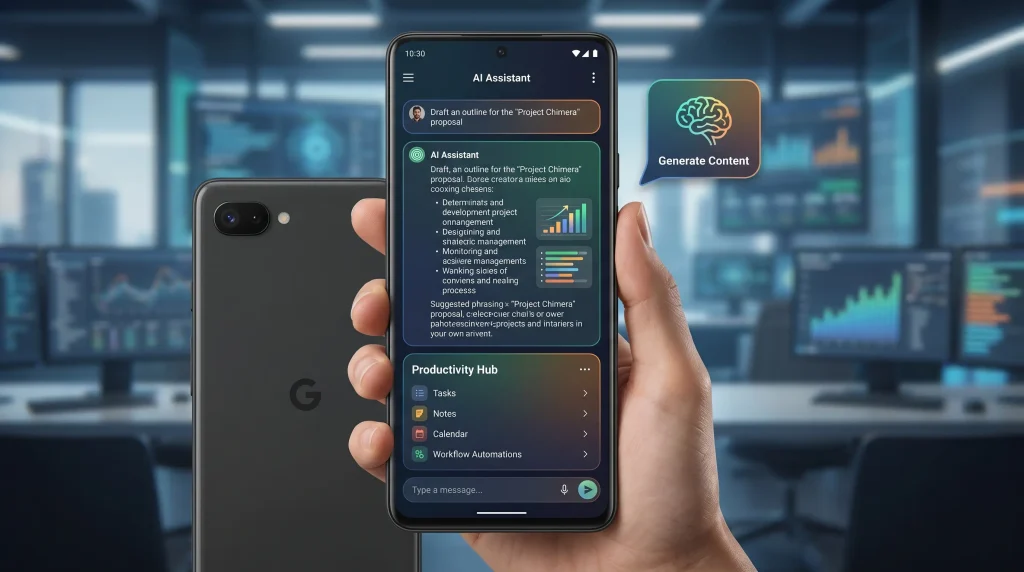
ChatGPT can generate articles, social media content, product descriptions, emails, newsletters, and marketing copy within minutes. Content creators use it to speed up their workflow while maintaining quality standards. The AI understands context, tone, and audience preferences, making it one of the most effective writing assistants available today.
🔍 Research Assistance:
Research tasks that once required hours can now be completed significantly faster. ChatGPT helps gather information, summarize lengthy documents, explain complex topics, and provide structured insights. Students, researchers, and professionals rely on it to improve efficiency and accelerate decision-making processes.
💼 Business Productivity:
Businesses use ChatGPT to draft proposals, create reports, generate meeting summaries, and automate communication tasks. Its ability to understand business contexts makes it highly valuable for entrepreneurs, startups, and enterprise teams looking to optimize operations.
🌍 Language Translation:
The app supports multiple languages and provides accurate translations for personal and professional communication. International businesses benefit from faster multilingual content creation and communication workflows.
🎓 Educational Support:
Students use ChatGPT for homework assistance, exam preparation, concept explanations, and study planning. The AI can break down difficult subjects into simple explanations that improve comprehension and retention.
👍 Pros
- User-friendly interface
- Highly versatile
- Supports multiple industries
- Excellent content generation
- Strong productivity features
👎 Cons
- Premium subscription needed for advanced models
🥈 2. Google Gemini
🌐 Best For: Android Integration and Smart Assistance
Google Gemini has become one of the most powerful AI assistants available for Android devices. Because it integrates deeply with Google’s ecosystem, it offers a seamless experience for users who rely on Google services daily.
Gemini combines AI capabilities with real-time information access, making it highly useful for both personal and professional use.
⭐ Key Features
📧 Deep Google Workspace Integration:
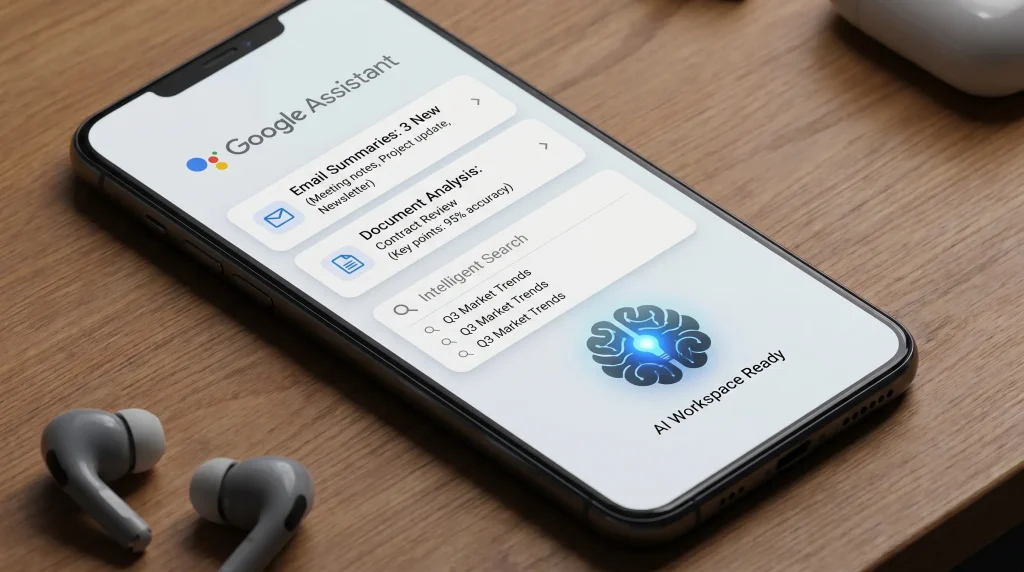
Gemini works closely with Gmail, Google Docs, Google Sheets, and Google Drive. Users can summarize emails, generate content, organize documents, and streamline workflows directly within Google’s ecosystem. This creates a more connected productivity environment for Android users.
🌎 Real-Time Information Access:
Unlike traditional AI systems that rely solely on training data, Gemini can access current information and provide updated insights. This makes it useful for research, market analysis, news monitoring, and trend discovery.
📸 Multimodal Understanding:
Gemini can analyze text, images, and visual content simultaneously. Users can upload screenshots, photos, and documents to receive detailed explanations and insights. This expands its usefulness beyond simple text-based interactions.
🗂️ Smart Task Management:
The app helps users organize schedules, prioritize tasks, and improve productivity through AI-powered recommendations. Busy professionals often use Gemini as a digital assistant for managing daily responsibilities.
🤝 Collaboration Features:
Teams can use Gemini to streamline communication, summarize meetings, and improve project coordination. Its integration across multiple Google services creates a unified productivity experience.
👍 Pros
- Excellent Android compatibility
- Strong Google integration
- Fast and accurate responses
- Useful productivity tools
👎 Cons
- Some advanced capabilities require paid plans
🥉 3. Microsoft Copilot
💻 Best For: Office Work, Business Productivity, and Professional Users
Microsoft Copilot has become a preferred AI solution for professionals who work extensively with Microsoft products. It combines advanced AI capabilities with productivity-focused features designed specifically for workplace environments.
For organizations already using Microsoft 365, Copilot delivers significant efficiency improvements.
⭐ Key Features
📄 Smart Document Creation:
Copilot assists with creating reports, proposals, business plans, presentations, and professional documents. It can generate structured content, improve readability, and ensure consistency across various business materials.

📊 Spreadsheet Analysis:
One of Copilot’s strongest features is its ability to analyze data and generate insights from spreadsheets. Users can identify trends, summarize datasets, and automate data-related tasks more efficiently than traditional methods.
📈 Presentation Building:
Creating presentations becomes significantly easier with AI assistance. Copilot helps generate slide content, suggest layouts, summarize information, and create professional-looking presentations within minutes.
📧 Email Productivity:
Professionals spend countless hours managing emails. Copilot helps draft responses, summarize conversations, and organize communication more effectively, reducing administrative workload.
🤖 Workflow Automation:
Businesses can automate repetitive office tasks using Copilot’s AI-powered capabilities. This improves operational efficiency and allows employees to focus on higher-value activities.
👍 Pros
- Excellent for professional users
- Strong Microsoft integration
- Advanced workplace features
- Improves business productivity
👎 Cons
- Best results require Microsoft ecosystem
🎨 4. Canva AI
🖌️ Best For: Graphic Design and Content Creation
Canva AI has transformed graphic design by making professional-quality visuals accessible to everyone. Whether you’re creating social media posts, business presentations, marketing materials, or advertisements, Canva AI simplifies the design process.
⭐ Key Features
🖼️ AI Image Generation:
Canva AI allows users to create unique images from text prompts. This feature is particularly useful for marketers, bloggers, and businesses that require original visual content without hiring designers or purchasing stock photos.
📱 Social Media Design:
Content creators can quickly generate engaging social media graphics optimized for different platforms. Templates, AI recommendations, and automated design tools help maintain consistency and visual appeal.

🎯 Brand Management:
Businesses can create and manage brand assets efficiently. Canva AI helps maintain color schemes, fonts, and visual identity across marketing materials, improving brand recognition and professionalism.
🚀 Faster Design Workflow:
Traditional graphic design can be time-consuming. Canva AI accelerates the process by suggesting layouts, generating elements, and automating repetitive design tasks, allowing creators to focus on messaging and strategy.
👍 Pros
- Beginner-friendly
- Professional results
- Huge template library
- Excellent for businesses
👎 Cons
- Premium features require subscription
🎨 5. Adobe Express AI
📸 Best For: Marketing, Social Media Content, and Digital Branding
Adobe Express AI has become one of the most powerful creative applications for Android users in 2026. Designed for entrepreneurs, marketers, influencers, small businesses, and content creators, the app simplifies professional content creation through artificial intelligence.
Unlike traditional design software that requires technical skills, Adobe Express AI allows users to create high-quality visuals, videos, advertisements, and promotional materials within minutes.

⭐ Key Features
🎬 AI-Powered Video Creation:
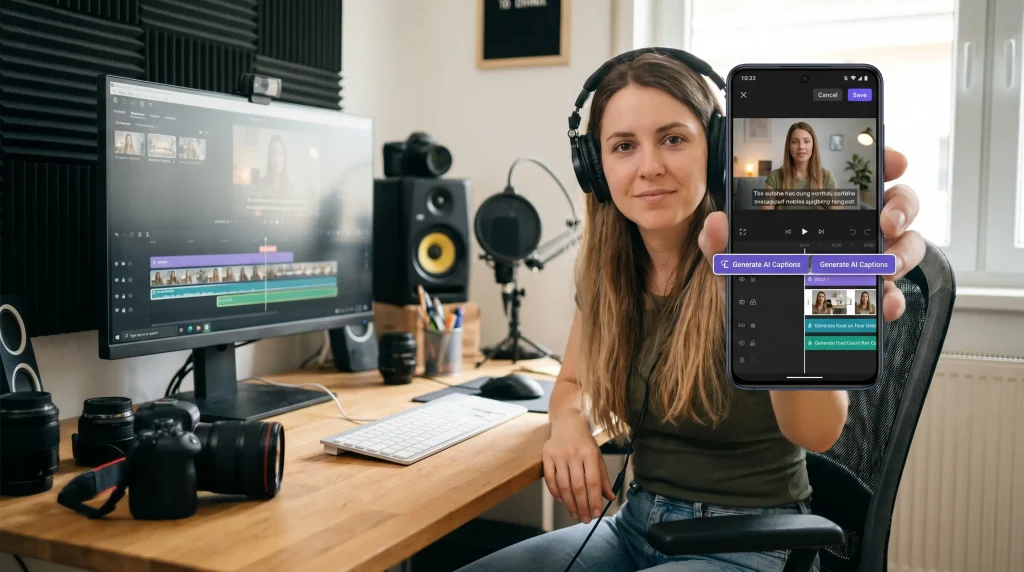
Video content continues to dominate digital marketing, and Adobe Express AI makes video production easier than ever. Users can transform text into engaging video presentations, generate captions automatically, and apply professional transitions without advanced editing knowledge. This feature is particularly valuable for businesses looking to improve their social media engagement and online visibility.
🖼️ Smart Graphic Design Tools:
The application includes intelligent design tools that suggest layouts, fonts, and visual elements based on project goals. Whether creating promotional banners, YouTube thumbnails, Instagram posts, or business flyers, users can produce professional-quality graphics quickly and efficiently.
✨ Automated Background Removal:
Removing backgrounds manually can be time-consuming. Adobe Express AI automatically detects subjects and removes unwanted backgrounds with remarkable accuracy. This feature helps eCommerce sellers, marketers, and designers create cleaner and more professional visuals.
📢 Marketing Content Optimization:
The AI understands marketing principles and helps users create content that attracts attention. From promotional graphics to advertising materials, the app suggests improvements that can increase engagement and improve campaign performance.
📱 Multi-Platform Content Creation:
Different social media platforms require different image dimensions and formats. Adobe Express AI automatically adjusts designs for various platforms, helping creators maintain consistency while saving time.
👍 Pros
- Professional-grade creative tools
- Easy-to-use interface
- Excellent AI automation
- Strong branding features
- Ideal for marketers and creators
👎 Cons
- Some advanced features require premium access
✍️ 6. Grammarly
📝 Best For: Writing Improvement and Professional Communication
Grammarly remains one of the most trusted AI-powered writing assistants available for Android devices. In 2026, the platform offers far more than simple grammar correction. It functions as a complete writing enhancement tool capable of improving clarity, engagement, tone, and readability.
Professionals, students, bloggers, business owners, and content creators use Grammarly daily to ensure their writing remains polished and error-free.

⭐ Key Features
📖 Advanced Grammar Correction:
Grammarly identifies grammar mistakes, punctuation errors, sentence structure issues, and spelling problems in real time. Unlike traditional spell checkers, it explains why corrections are necessary, helping users improve their writing skills over time.
🎯 Tone Detection and Adjustment:
Different situations require different writing styles. Grammarly analyzes the tone of your content and provides recommendations to ensure your message aligns with your intended audience. This is especially useful for professional emails, customer communications, and business documents.
✨ Content Clarity Improvements:
The AI suggests ways to simplify complicated sentences and improve readability. By making content easier to understand, writers can communicate more effectively with their target audience.
🔍 Plagiarism Detection:
For students, researchers, and professional writers, originality is critical. Grammarly’s plagiarism detection system helps identify duplicate content and encourages the creation of unique material.
🚀 AI Writing Assistance:
Users can generate ideas, rewrite content, create outlines, and improve drafts using AI-powered writing suggestions. This significantly speeds up the content creation process while maintaining quality standards.
👍 Pros
- Excellent writing accuracy
- Real-time suggestions
- Improves communication quality
- Supports professional writing
- Easy integration with Android apps
👎 Cons
- Premium subscription needed for advanced features
📚 7. Notion AI
🗂️ Best For: Productivity, Organization, and Team Collaboration
Notion AI has evolved into one of the most comprehensive productivity platforms available. It combines note-taking, project management, documentation, planning, and AI-powered automation into a single application.
For professionals and teams managing complex workflows, Notion AI can significantly improve organization and efficiency.

⭐ Key Features
📝 Intelligent Note Summaries:
Large notes and documents can become difficult to manage. Notion AI automatically generates concise summaries, helping users quickly review important information without reading lengthy content repeatedly.
📅 Smart Project Management:
The AI assists with project planning, task prioritization, deadline management, and workflow organization. Teams can use these features to stay aligned and improve productivity.
🤖 Automated Content Generation:
Users can generate reports, meeting notes, project updates, brainstorming ideas, and business documents directly within Notion. This reduces manual effort and speeds up content creation.
👥 Team Collaboration Support:
Notion AI enhances collaboration by helping teams organize shared knowledge, document processes, and maintain centralized information repositories.
🔍 Knowledge Discovery:
Finding information within large workspaces becomes easier with AI-powered search and content recommendations. This saves time and improves operational efficiency.
👍 Pros
- Powerful productivity platform
- Excellent team collaboration tools
- AI-enhanced organization
- Flexible workspace customization
- Strong workflow management
👎 Cons
- Learning curve for new users
🔎 8. Perplexity AI
🌐 Best For: Research, Information Gathering, and Fact Checking
Perplexity AI has emerged as one of the most popular research-focused AI applications in 2026. Unlike traditional search engines that provide lists of links, Perplexity delivers direct answers supported by sources and contextual explanations.
Researchers, students, journalists, and business professionals frequently use Perplexity AI to accelerate information discovery.

⭐ Key Features
📚 AI-Powered Search Experience:
Instead of browsing multiple websites, users receive summarized answers generated from various sources. This significantly reduces research time while maintaining accuracy and relevance.
🔗 Source-Based Responses:
Transparency is a major strength of Perplexity AI. The platform provides supporting sources for many responses, helping users verify information and build confidence in research findings.
🧠 Deep Topic Exploration:
Complex topics often require more than basic answers. Perplexity can generate detailed explanations, comparisons, and breakdowns that help users understand difficult concepts more effectively.
⚡ Faster Decision Making:
Business professionals use Perplexity AI to gather market information, industry insights, and competitor data quickly. Faster access to relevant information improves decision-making capabilities.
🎓 Educational Research Support:
Students benefit from structured explanations and simplified summaries of academic subjects, making learning more efficient and less overwhelming.
👍 Pros
- Excellent research capabilities
- Fast information retrieval
- Helpful explanations
- User-friendly interface
- Valuable for students and professionals
👎 Cons
- Advanced tools available in premium plans
➗ 9. Photomath
🎓 Best For: Mathematics Learning and Homework Assistance
Photomath remains one of the most widely used educational AI apps for Android users. It helps students solve mathematical problems while teaching the underlying concepts through step-by-step explanations.
The app is suitable for learners ranging from elementary school students to university-level mathematics students.
⭐ Key Features
📸 Camera-Based Problem Solving:
Users simply point their smartphone camera at a math equation, and Photomath instantly analyzes the problem. The AI recognizes various mathematical formats and provides accurate solutions within seconds.
🧮 Step-by-Step Explanations:
Rather than simply displaying answers, Photomath explains every step involved in solving a problem. This helps students understand mathematical concepts rather than memorizing solutions.
📈 Support for Advanced Mathematics:
The application supports algebra, geometry, trigonometry, calculus, statistics, and many other mathematical disciplines. This makes it useful across different educational levels.
🎯 Personalized Learning:
Students can explore alternative solving methods and review explanations repeatedly until concepts become clear. This flexibility improves learning outcomes and confidence.
📚 Homework Assistance:
Photomath serves as a valuable study companion by helping students verify answers, understand mistakes, and improve problem-solving skills independently.
👍 Pros
- Easy to use
- Accurate calculations
- Excellent educational value
- Supports multiple math topics
- Encourages conceptual understanding
👎 Cons
- Some premium learning content requires payment
🌍 10. Duolingo Max
🗣️ Best For: Language Learning and Communication Skills
Language learning has become more personalized and interactive thanks to Duolingo Max. The platform uses advanced artificial intelligence to create realistic conversations, provide instant feedback, and adapt lessons based on user progress.
For travelers, students, professionals, and language enthusiasts, Duolingo Max offers a highly engaging learning experience.
⭐ Key Features
💬 AI Conversation Practice:
Traditional language apps often lack realistic communication opportunities. Duolingo Max enables users to engage in AI-powered conversations that simulate real-world interactions, helping improve speaking confidence.
🎯 Personalized Learning Paths:
The AI analyzes learning behavior and adjusts lesson difficulty accordingly. This ensures learners remain challenged without becoming overwhelmed.
🔊 Pronunciation Improvement:
Accurate pronunciation is essential for language mastery. Duolingo Max provides detailed feedback and recommendations to help users improve their speaking skills naturally.
🌎 Multiple Language Support:
The platform supports many popular languages, allowing users to learn for travel, career advancement, cultural exploration, or personal development.
📈 Progress Tracking:
Detailed analytics help users monitor performance, identify weaknesses, and celebrate learning milestones. This keeps motivation high throughout the learning journey.
👍 Pros
- Engaging learning experience
- AI-powered conversations
- Effective pronunciation feedback
- Personalized lessons
- Suitable for all skill levels
👎 Cons
- Premium subscription needed for full AI features
📷 11. Lensa AI
🎨 Best For: AI Photo Editing and Professional Portrait Enhancement
Lensa AI has established itself as one of the leading AI-powered photo editing applications available for Android users in 2026. With smartphone photography becoming increasingly important for personal branding, social media, and digital marketing, users need powerful editing tools that produce professional-quality results without requiring advanced editing skills.
Lensa AI uses sophisticated artificial intelligence algorithms to automatically enhance photos, improve image quality, and create visually appealing portraits.
⭐ Key Features
✨ AI Portrait Enhancement:
Lensa AI automatically improves facial features, lighting, skin tones, and image clarity while maintaining a natural appearance. Unlike traditional filters that often create unrealistic effects, the AI focuses on subtle enhancements that make photos look professional without appearing over-edited. This makes it particularly popular among influencers, professionals, and content creators.
🖼️ Background Editing Tools:
The app can intelligently detect subjects and modify or replace backgrounds with minimal manual effort. Users can create cleaner, more attractive images suitable for social media profiles, business branding, or personal portfolios. This capability saves considerable editing time while delivering polished results.
🎭 AI Avatar Generation:
One of the most popular features of Lensa AI is its ability to generate unique AI-powered avatars and artistic portraits. Users can create customized digital representations suitable for social media accounts, gaming profiles, and personal branding initiatives.
📸 Image Quality Improvement:
Older or lower-quality images can be enhanced using AI-powered sharpening, noise reduction, and color correction tools. This allows users to restore and improve photographs that may otherwise appear outdated or poorly captured.
🎯 Social Media Optimization:
The application helps users create visually engaging content designed to perform well across social platforms. Improved image quality often leads to better engagement, stronger personal branding, and more professional online presentations.
👍 Pros
- High-quality photo enhancements
- Easy-to-use interface
- Fast editing process
- Professional-looking results
- Excellent portrait editing features
👎 Cons
- Advanced editing options require premium access
🎙️ 12. Otter AI
📝 Best For: Meeting Notes, Voice Transcription, and Business Productivity
Otter AI has become an essential productivity tool for professionals, remote workers, students, journalists, and business teams. In today’s fast-paced work environment, manually taking notes during meetings can be inefficient and distracting. Otter AI solves this problem by automatically transcribing conversations and generating organized notes.
The platform significantly improves information management and communication efficiency.
⭐ Key Features
🎤 Real-Time Voice Transcription:
Otter AI converts spoken conversations into written text with impressive accuracy. Whether attending virtual meetings, lectures, interviews, or conferences, users can capture important information automatically without manually recording notes.
📋 Automated Meeting Summaries:
Long meetings often contain valuable insights that can be difficult to review afterward. Otter AI generates concise summaries that highlight key discussion points, action items, and decisions. This helps teams stay aligned and improve accountability.
👥 Speaker Identification:
The platform can recognize and distinguish between multiple speakers during conversations. This feature improves transcript clarity and makes it easier to review discussions involving several participants.
☁️ Cloud Synchronization:
Meeting notes and transcripts are stored securely and synchronized across devices. Users can access information from anywhere, ensuring important records remain available when needed.
🚀 Improved Workplace Efficiency:
Organizations use Otter AI to reduce administrative workload, improve collaboration, and ensure that critical information is accurately documented. This contributes to better communication and more effective decision-making processes.
👍 Pros
- Accurate transcription capabilities
- Excellent for remote teams
- Time-saving automation
- Easy note organization
- Strong productivity benefits
👎 Cons
- Free version has usage limitations
🤝 13. Replika AI
💬 Best For: AI Companionship and Personalized Conversations
Replika AI offers a unique approach to artificial intelligence by focusing on meaningful conversations and personalized interactions. Unlike productivity-focused AI applications, Replika is designed to act as a conversational companion capable of learning user preferences and adapting over time.
The application has gained popularity among users seeking engaging discussions, emotional support, and daily interaction.
⭐ Key Features
🗣️ Personalized Conversations:
Replika learns from interactions and gradually develops a more personalized communication style. This creates conversations that feel increasingly relevant and engaging over time. Users often appreciate the ability to discuss interests, goals, and everyday experiences.
🧠 Adaptive Learning:
The AI continuously improves its understanding of user preferences, communication habits, and interests. This adaptability helps create more natural interactions and strengthens long-term engagement.
🌟 Goal-Oriented Discussions:
Many users utilize Replika for self-improvement conversations, productivity discussions, habit tracking, and personal development. The AI can help encourage positive behaviors and support long-term objectives.
📱 Daily Engagement:
Regular interactions with Replika create a consistent conversational experience that many users find enjoyable and motivating. This makes the app particularly appealing to individuals seeking ongoing digital companionship.
💡 Stress-Free Communication:
The platform provides a judgment-free environment where users can explore ideas, practice communication skills, and engage in meaningful conversations without social pressure.
👍 Pros
- Highly personalized interactions
- Engaging user experience
- Continuous learning capabilities
- Supports self-improvement discussions
- Easy-to-use interface
👎 Cons
- Some advanced experiences require subscriptions
🎥 14. CapCut AI
📹 Best For: AI Video Editing and Social Media Content Creation
Video content dominates digital platforms in 2026, making CapCut AI one of the most valuable applications for creators. Whether producing short-form videos, promotional content, tutorials, or marketing campaigns, CapCut simplifies professional video editing through intelligent automation.
Content creators, influencers, businesses, and marketers use the platform to streamline production workflows.
⭐ Key Features
✂️ AI Video Editing Automation:
CapCut AI automatically analyzes footage and suggests edits, transitions, effects, and improvements. This significantly reduces editing time while maintaining professional quality standards.
📝 Automatic Caption Generation:
Captions improve accessibility and engagement across social media platforms. The AI can generate highly accurate subtitles, helping creators reach broader audiences while improving viewer retention.
🎬 Professional Templates:
Users can access a wide range of customizable templates optimized for various social media platforms. This enables faster content production without sacrificing visual quality.
🎨 Background Removal Technology:
AI-powered background removal allows creators to isolate subjects and create more visually appealing content. This feature is especially useful for product promotions, educational videos, and personal branding.
📈 Social Media Optimization:
CapCut AI helps creators produce content designed to perform effectively on modern social platforms. Improved editing quality often leads to increased engagement and stronger audience growth.
👍 Pros
- Excellent video editing tools
- User-friendly design
- AI-powered automation
- Great for content creators
- Fast production workflow
👎 Cons
- Some advanced tools require premium plans
🏆 15. Midjourney Companion Apps
🎨 Best For: AI Art Generation and Creative Design
AI-generated artwork continues to grow in popularity, and Midjourney-powered applications remain among the most impressive creative tools available. Artists, designers, marketers, and businesses use these tools to generate high-quality visuals from simple text prompts.
The ability to transform ideas into stunning artwork within minutes has revolutionized digital creativity.
⭐ Key Features
🖌️ Text-to-Image Creation:
Users can describe scenes, concepts, products, or artistic visions using text prompts, and the AI generates highly detailed visual representations. This dramatically accelerates the creative process and opens new possibilities for designers.
🌈 Multiple Artistic Styles:
The AI can generate images across various artistic styles, including realism, fantasy, illustration, concept art, cinematic visuals, and modern digital design. This versatility makes it suitable for diverse creative projects.
🚀 Rapid Content Production:
Businesses and marketers benefit from faster visual content creation. Instead of spending hours creating graphics manually, teams can generate multiple concepts quickly and refine their preferred designs.
💡 Creative Inspiration:
Artists frequently use AI-generated images as inspiration for larger projects. The technology helps overcome creative blocks and encourages experimentation with new visual concepts.
📢 Marketing Applications:
Brands can create unique promotional visuals, advertising concepts, and social media graphics without relying entirely on traditional design workflows. This reduces costs while increasing creative flexibility.
👍 Pros
- Exceptional image quality
- Highly creative outputs
- Supports multiple art styles
- Useful for professionals and beginners
- Rapid content generation
👎 Cons
- Premium plans often required for extensive usage
📊 Free vs Paid AI Apps: Which Option Is Better?
Choosing between free and paid AI applications depends on your goals, usage frequency, and professional requirements.
✅ Free AI Apps Are Best If:
💰 You Have a Limited Budget:
Free plans provide access to core AI features without requiring financial commitment. New users can explore AI technology before deciding whether premium upgrades are worthwhile.
🎯 You Need Basic Features:
Many free versions offer sufficient functionality for casual users. Tasks such as basic writing assistance, simple image editing, and everyday productivity can often be handled effectively without paid subscriptions.
📚 You Are Learning AI Tools:
Beginners can experiment with different applications and understand their capabilities before investing in premium plans.
✅ Paid AI Apps Are Best If:
🚀 You Use AI Daily:
Professionals who depend on AI for business operations, content creation, research, or productivity often benefit from premium features and higher usage limits.
📈 You Need Advanced Capabilities:
Premium plans typically include access to more powerful AI models, priority processing, enhanced customization, and additional productivity tools.
💼 You Run a Business:
Organizations often require reliability, scalability, and advanced functionality that free plans cannot provide.
🔮 The Future of AI Apps for Android
Artificial intelligence will continue transforming the Android ecosystem throughout the coming years. Future AI applications are expected to become even more intelligent, personalized, and deeply integrated into daily life.
Expected developments include:
- 🤖 Smarter AI assistants
- 🌍 More accurate real-time translation
- 🎨 Advanced image generation
- 🎬 Automated video production
- 📚 Personalized education systems
- 🧠 Improved contextual understanding
- 🚀 Enhanced productivity automation
- 📱 AI-native Android experiences
As mobile hardware becomes more powerful, AI applications will increasingly process information directly on devices, improving speed, privacy, and efficiency.
✅ Final Conclusion
The best AI apps for Android in 2026 offer far more than simple automation. They help users create content, improve productivity, learn new skills, edit media, conduct research, manage projects, and communicate more effectively.
For overall versatility, ChatGPT, Google Gemini, and Microsoft Copilot remain among the strongest choices. Creative professionals benefit significantly from Canva AI, Adobe Express AI, CapCut AI, and Midjourney-powered tools. Students and lifelong learners can improve their educational experience through Photomath and Duolingo Max, while professionals gain substantial productivity advantages from Notion AI and Otter AI.
The ideal approach is to identify your primary needs, test several applications, and gradually build an AI-powered toolkit that supports your personal and professional goals.
❓ Frequently Asked Questions (FAQs)
1. What is the best AI app for Android in 2026?
ChatGPT is widely considered one of the best AI apps for Android due to its versatility, productivity features, content generation capabilities, and broad range of use cases.
2. Are AI apps safe to use on Android devices?
Most reputable AI apps are safe when downloaded from trusted sources such as the Google Play Store. Users should always review privacy policies and permission requests before installation.
3. Which AI app is best for students?
Photomath, ChatGPT, Duolingo Max, and Perplexity AI are among the best AI apps for students because they support learning, research, language development, and academic productivity.
4. Which AI app is best for content creators?
Content creators often prefer ChatGPT, Canva AI, Adobe Express AI, CapCut AI, and Midjourney-powered tools because they streamline content production and creative workflows.
5. Are free AI apps good enough?
Many free AI applications provide excellent functionality for casual users. However, professionals and businesses often benefit from premium plans that offer advanced features and higher usage limits.
6. Which AI app is best for image generation?
Midjourney-powered applications and Canva AI remain among the most popular choices for generating high-quality AI artwork and creative visuals.
7. What is the best AI writing assistant for Android?
ChatGPT and Grammarly are considered two of the strongest AI writing assistants due to their ability to improve content quality, productivity, and communication effectiveness.
8. Will AI apps replace traditional apps?
AI applications are more likely to enhance traditional apps rather than replace them completely. The future will involve deeper integration of AI capabilities into existing software ecosystems.